Power BI & Microsoft Fabric for reporting decision-makers rely on
Power BI turns business data into reports and dashboards people use; Microsoft Fabric provides the unified data platform underneath — bringing data integration, engineering, warehousing and real-time analytics into one governed environment. Econix helps organizations design semantic models, build reporting that answers business questions, and adopt Fabric capabilities where they fit — with particular depth in reporting on Dynamics 365 and Business Central data. Serving organizations across Canada and the United States.
From operational data to decisions
What Are Power BI and Microsoft Fabric?
Power BI is Microsoft’s business intelligence platform — interactive reports, dashboards and self-service analysis built on semantic models that define your business’s numbers once, consistently. Microsoft Fabric is the broader data platform Power BI now lives within: OneLake as a unified data foundation, plus capabilities for data integration, data engineering, warehousing and real-time analytics in a single software-as-a-service environment. Together they cover the path from raw operational data to a dashboard a decision-maker trusts — with governance across the whole journey instead of a chain of disconnected tools.
Core Capabilities
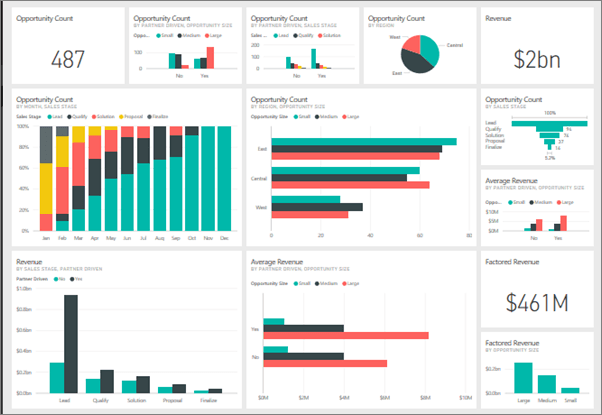
Interactive reports and dashboards
Drill-down reporting on desktop, web and mobile, replacing static spreadsheet packs.
Semantic models
Business logic and measures defined once, so every report calculates revenue, margin and KPIs the same way.
Data integration
Dataflows and Fabric Data Factory pipelines bringing data from Dynamics 365, Business Central and other systems into a governed foundation.
OneLake and lakehouse/warehouse capabilities
Fabric’s unified data foundation for organizations consolidating analytics data beyond single-source reporting.
Real-time analytics
Fabric capabilities for streaming and operational-event scenarios where yesterday’s data is not enough.
Self-service analysis
Governed datasets that let business users answer their own questions without breaking the numbers.
AI-assisted analysis
Copilot capabilities in Power BI and Fabric that help build and interpret reports, with results reviewed by people.
Distribution and embedding
Reports delivered in Teams, embedded in applications, and shared with the right audiences under access control.
Where Power BI and Fabric Fit
Finance teams
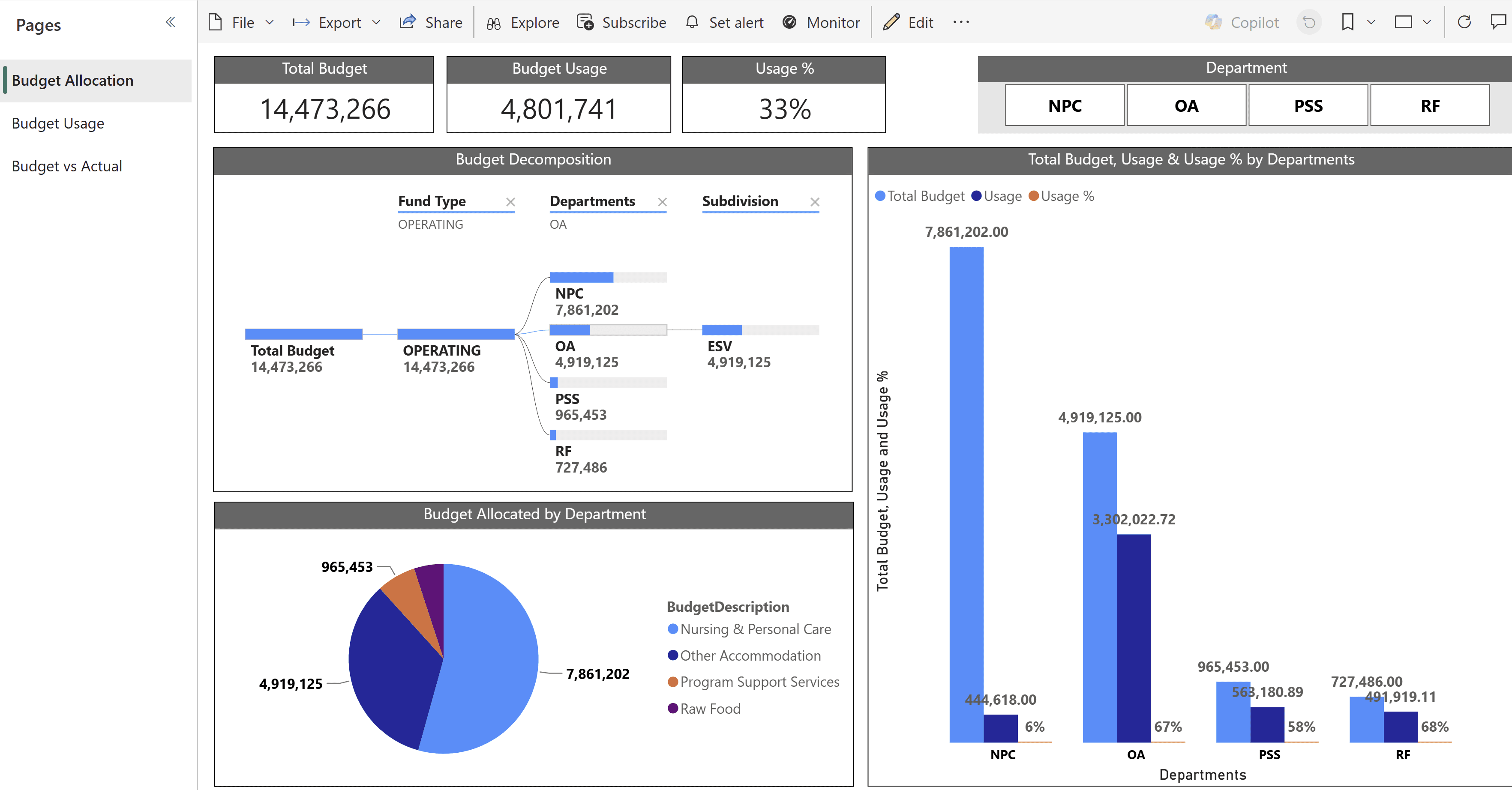
Management reporting, budget versus actual, and consolidated views drawn directly from the ERP.
Operations and supply chain
Inventory, fulfilment, production and service performance dashboards refreshed automatically.
Sales leadership
Pipeline, bookings and customer analytics on Dynamics 365 Sales data.
Executive teams
A single trusted view across finance, operations and sales instead of competing spreadsheets.
Organizations outgrowing single-source reporting
Businesses ready to consolidate multiple data sources into a governed Fabric foundation.
Numbers that don’t match
Departments each calculating their own version of revenue or margin, and meetings spent debating whose figure is right.
How Econix Helps With Power BI and Fabric
Assessment
Reviewing your reporting needs, data sources and current practices to design a pragmatic analytics roadmap — including whether Fabric capabilities are warranted now or later.
Implementation
Semantic model design, report and dashboard development, workspace structure and refresh scheduling built soundly from the start.
Migration
Replacing legacy reporting tools, aging data warehouses and manual spreadsheet packs with governed Power BI reporting and, where appropriate, Fabric data foundations.
Integration
Connecting Power BI and Fabric to Dynamics 365, Business Central and third-party systems — Econix’s ERP depth means the data underneath the dashboard is modelled by people who understand what it means.
Rescue and stabilization
Repairing reporting estates with broken refreshes, conflicting models and dashboards nobody trusts.
Support, optimization and governance
Ongoing support for reports, models and pipelines, workspace and access governance, row-level security, model performance tuning, certification of trusted datasets and capacity planning.
Licensing & Subscription Assistance
Power BI and Fabric licensing has two distinct parts, and they work differently. Power BI Pro and Premium Per User are per-user licences that govern who can publish, share and consume reports. Microsoft Fabric runs on F capacity purchased through Azure — including through a CSP-managed Azure subscription where available — and what users can consume depends on both the capacity size and their user licensing. Term, reservation, co-terming and billing options vary by SKU and current Microsoft program rules, so no single subscription model covers every item. Econix supplies both through the Microsoft Cloud Solution Provider program: requirements assessment, licence inventory review based on customer-provided records and reports, right-sizing between user licences and capacity, subscription selection and fulfilment, renewals and ongoing subscription administration.
Request a QuoteConnected to the Microsoft Ecosystem
Analytics is only as good as its connections. Econix builds reporting that draws directly from your operational estate: Dynamics 365 Finance, Business Central and Dynamics 365 Sales as first-class data sources; Power Platform solutions feeding and consuming the same governed data; reports delivered inside Teams where decisions happen; and Azure services extending the platform where advanced scenarios require it. Access control is part of the architecture: workspace-level permissions, row-level security so users see only the data appropriate to them, dataset certification to mark trusted sources, and sensitivity labelling integrated with Microsoft Purview.
One governed path to trusted dashboards
Why Econix
Econix is a Microsoft Solutions Partner — Business Applications with a senior team carrying 20+ years of Microsoft delivery experience, including years of ERP reporting work. For a Canadian professional services firm, Econix replaced manually maintained spreadsheet reporting with live Power BI dashboards connected directly to Business Central — covering service-line performance, project profitability, cash flow and receivables — as part of a broader finance automation engagement.
Power BI & Fabric FAQ
What is Microsoft Fabric, and do we need it if we just want dashboards?
Fabric is the unified data platform that now underpins Power BI, adding integration, engineering, warehousing and real-time capabilities in one environment. If your reporting draws from one or two well-behaved sources, Power BI alone may be enough for now. If you are consolidating multiple systems, wrestling with data preparation, or planning a data warehouse, Fabric is worth evaluating. Econix assesses this on your requirements, not by defaulting to the bigger platform.
Can Power BI report directly on Dynamics 365 and Business Central data?
Yes — and doing it well is an Econix specialty. Business Central and Dynamics 365 expose their data through supported interfaces, and the difference between a dashboard that misleads and one that informs is usually whether the person modelling the data understood the ERP underneath it. Econix’s consultants do.
Our reports exist but nobody trusts the numbers. Can that be fixed?
Yes — this is a familiar engagement. The usual cause is multiple models calculating the same measures differently. The fix is a governed semantic model: business logic defined once, datasets certified as authoritative, and reports rebuilt on that foundation. Trust follows consistency.
Can business users build their own reports without breaking things?
That is exactly what good governance enables. Certified datasets give business users trustworthy building blocks for self-service analysis, while row-level security and workspace permissions keep data appropriately controlled. Econix sets up this structure and trains your team to work within it.
What licensing do we need for Power BI and Fabric?
They are licensed differently. Power BI Pro and Premium Per User are user licences; Fabric workloads run on F capacity purchased through Azure, including via a CSP-managed Azure subscription where available. Consumption rights depend on capacity size and user licensing, and term, reservation and billing options vary by SKU and current Microsoft program rules. Econix reviews your intended usage and recommends the economical structure. Use Request a Quote for specifics.
Related Solutions
Explore the Microsoft platforms that feed and extend Power BI and Fabric.
Dynamics 365 Finance
Financial data that flows into governed Power BI reporting.
Power Platform
Low-code apps and automation alongside Power BI analytics.
Microsoft 365
Excel and Teams where Power BI insights are consumed daily.
Dynamics 365 Business Central
Mid-market ERP data ready for Power BI dashboards.
Power BI insights
Power BI for Finance Leaders: 10 Dashboards Every Business Central and Dynamics 365 Team Should Have
Read the insight
Dynamics 365 Finance for Multi-Entity Organizations: Consolidation, Intercompany and Tax Done Right
Read the insight
Copilot in Business Central: 12 Practical Use Cases for Finance, Sales and Operations
Read the insightOne version of the numbers, everywhere decisions are made.
Talk to Econix about Power BI reporting, semantic models, and Microsoft Fabric adoption.