Microsoft Copilot, adopted with governance
Microsoft Copilot brings AI assistance into the tools your team already uses — drafting in Word and Outlook, summarizing in Teams, analyzing in Excel, and assisting inside Dynamics 365. The prerequisites matter as much as the capability: permission hygiene, data governance and clear human oversight. Econix helps organizations prepare for Copilot, license it sensibly, and adopt it where it helps. Serving organizations across Canada and the United States.
Copilot drafts — people decide
What Is Microsoft Copilot?
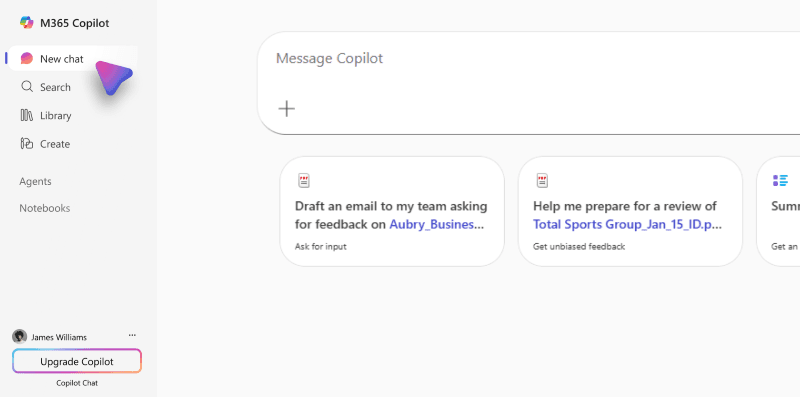
Microsoft Copilot is Microsoft’s family of AI assistants across Microsoft 365, Dynamics 365 and the Power Platform — and what a given user can do depends on which Copilot capabilities they hold. Microsoft 365 Copilot Chat provides chat with enterprise data protection and, where configured, grounding on web content, uploaded files, the page in view, Outlook context or agents. The licensed Microsoft 365 Copilot adds broader organizational grounding through Microsoft Graph and semantic indexing, bringing assistance directly into Word, Excel, PowerPoint, Outlook and Teams. Product-specific Copilot capabilities assist sellers, agents and makers inside Dynamics 365 and the Power Platform, and Microsoft Copilot Studio builds custom agents with separate licensing or metered consumption where applicable. In every case, Copilot works within your existing security and permission model — it can only surface content the signed-in user already has access to — and its output is a draft for a person to review, edit and approve.
Core Capabilities
Microsoft 365 Copilot Chat
Chat with enterprise data protection, with available web, file, page, Outlook-context or agent grounding depending on configuration and entitlements.
Microsoft 365 Copilot (licensed)
Broader organizational grounding through Microsoft Graph and semantic indexing, with drafting in Word and Outlook, meeting recaps in Teams, analysis assistance in Excel and presentation drafting in PowerPoint.
Copilot in Dynamics 365
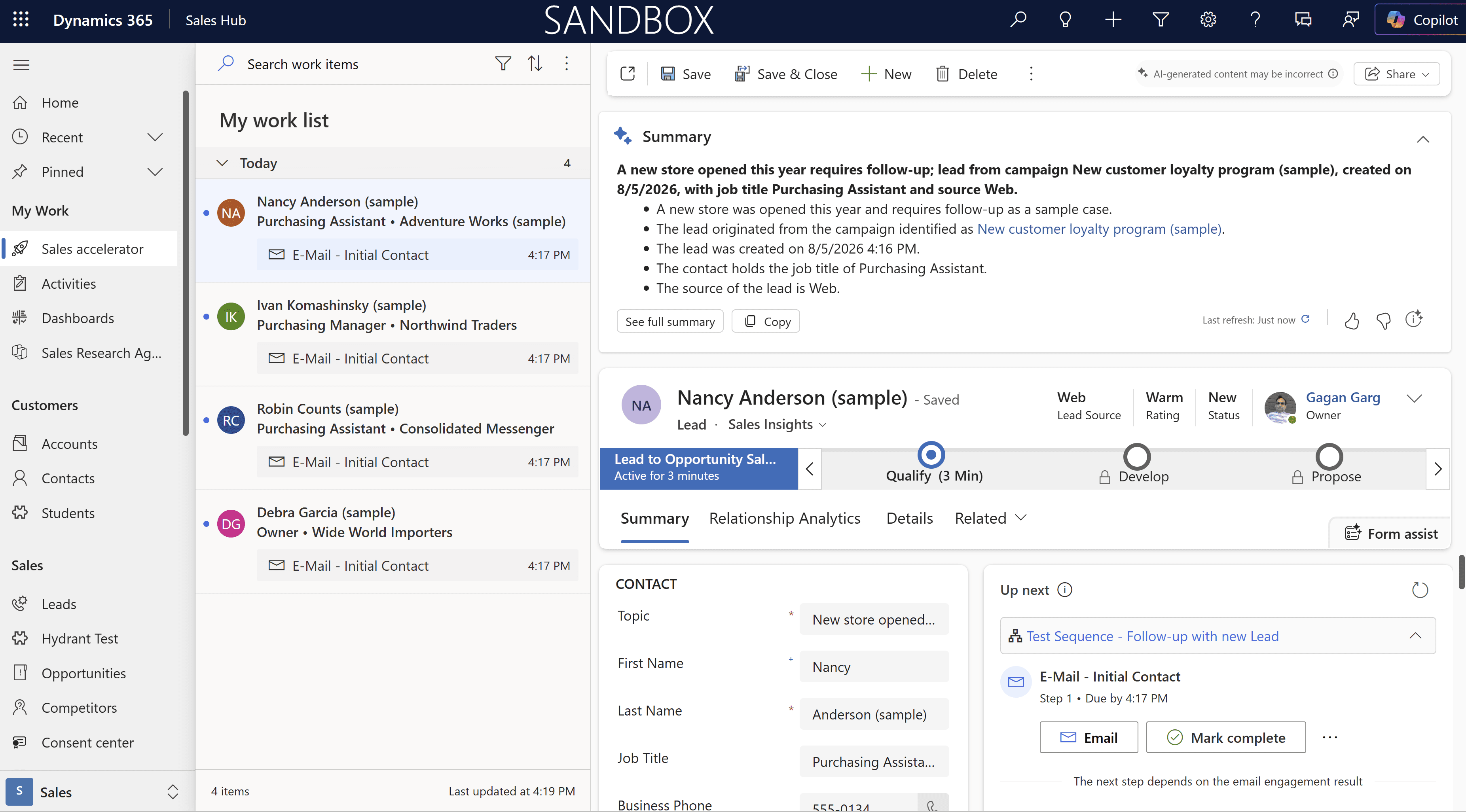
Assistance for sellers and service agents: record summaries, drafted responses and faster case context, subject to user review.
Copilot in the Power Platform
Natural-language assistance for building apps, automations and reports, accelerating makers within governance.
Microsoft Copilot Studio
Custom agents for specific business scenarios, with the scope, knowledge sources and behaviours your organization defines, under separate licensing or metered consumption where applicable.
Copilot Readiness — The Work Before the Licence
Copilot’s usefulness and safety both depend on the environment it lands in. Econix’s readiness work covers:
Permission and sharing hygiene
Copilot surfaces what permissions allow, so oversharing that was invisible before becomes visible immediately. Reviewing and correcting access is the most important readiness step.
Data governance
Sensitivity labelling, sharing policies and lifecycle practices so AI assistance operates on well-governed content.
Licensing groundwork
Confirming plan prerequisites, distinguishing what Copilot Chat already provides from what the licensed Microsoft 365 Copilot adds, and deciding which roles benefit first.
Usage policy and oversight
Clear organizational guidance on where Copilot output may be used, what must be reviewed, and who is accountable — because responsibility for work product stays with people.
Pilot design and adoption
Starting with a defined pilot group, measuring usefulness, and expanding based on evidence.
Where Copilot Earns Its Keep
Document- and email-heavy teams
Professional services, sales and administration roles where drafting is a daily cost.
Meeting-intensive organizations
Leadership and project teams that need decisions and actions captured reliably.
Customer-facing teams on Dynamics 365
Sellers and agents who benefit from summarized context and drafted responses they review before sending.
Organizations formalizing AI use
Replacing ungoverned consumer-tool experimentation with a managed, auditable alternative.
Analysis bottlenecks
Teams waiting on the few people fluent in Excel or reporting tools for questions the data could answer directly.
How Econix Helps With Microsoft Copilot
Assessment
A Copilot readiness review covering permissions, data governance, licensing prerequisites and candidate use cases, based on information and reports you provide.
Implementation
Readiness remediation, pilot rollout, usage policy support and configuration of Copilot capabilities across Microsoft 365 and Dynamics 365.
Integration
Extending assistance into your business context with Copilot Studio agents scoped to specific processes and knowledge sources, with behaviour your organization defines and reviews.
Rescue and stabilization
Restructuring Copilot rollouts that stalled — often due to skipped permission work or absent adoption planning — into a governed, staged approach.
Support and optimization
Ongoing administration of Copilot capabilities, policy upkeep, review of where Copilot is and is not delivering value, licensing reallocation and expansion to new use cases on evidence.
Licensing & Subscription Assistance
Copilot licensing differs by offering: Microsoft 365 Copilot Chat is available with qualifying Microsoft 365 plans; the full Microsoft 365 Copilot is a per-user add-on licence on qualifying plans; product Copilot capabilities follow their host Dynamics 365 and Power Platform applications; and Copilot Studio agents carry separate licensing or metered consumption where applicable. Econix supplies Copilot licensing through the Microsoft Cloud Solution Provider program and helps organizations sequence it: requirements assessment, confirmation of plan prerequisites, licence inventory review based on customer-provided records and reports, right-sized initial allocation, subscription fulfilment, additions as adoption proves out, renewals and co-terming, with term options as eligible and currently available under Microsoft programs.
Request a QuoteConnected to the Microsoft Ecosystem
Copilot is a capability layer across the Microsoft cloud you already run, and its usefulness compounds with the health of that estate: well-organized SharePoint and Teams content makes answers better; clean Dynamics 365 data makes seller and agent assistance sharper; Purview information protection keeps sensitive content governed; and Power Platform extends assistance into your own processes. Econix’s cross-platform depth — ERP, CRM, Microsoft 365 and security — is what makes Copilot adoption coherent instead of piecemeal.
Security & Governance Considerations
Copilot operates under Microsoft’s current enterprise data protection commitments — under those commitments, prompts and responses are not used to train foundation models — and within your tenant’s existing permission model. The governance work is therefore yours to do, and worth doing: access reviews so Copilot cannot surface content that was overshared, sensitivity labelling so protected content stays protected, usage policies that keep humans accountable for output, and monitoring of adoption. Econix treats human oversight as a design principle: Copilot drafts, summarizes and suggests — people decide.
Why Econix
Econix is a Microsoft AI Cloud Partner Program member and a Microsoft Cloud Solution Provider, and holds Microsoft Solutions Partner designations for Security and Business Applications — the two disciplines Copilot readiness depends on most: governed access and well-run business applications. Econix’s senior team carries 20+ years of Microsoft delivery experience.
Microsoft Copilot FAQ
What is the difference between Microsoft 365 Copilot Chat and the licensed Microsoft 365 Copilot?
Microsoft 365 Copilot Chat provides chat with enterprise data protection and can ground responses on web content, uploaded files, the page in view, Outlook context or agents where those options are configured. The licensed Microsoft 365 Copilot adds broader organizational grounding through Microsoft Graph and semantic indexing, and embeds assistance directly in Word, Excel, PowerPoint, Outlook and Teams. Entitlements determine what each user’s Copilot can see — not every Copilot Chat user has organization-wide work grounding.
Is our organization ready for Copilot?
That depends on your permission hygiene and data governance more than your enthusiasm. Organizations with well-managed access and reasonably organized content can pilot quickly; organizations with years of accumulated oversharing should remediate first — because Copilot will faithfully surface whatever permissions allow. Econix’s readiness assessment gives you a concrete answer and a prioritized preparation plan.
Is our company data used to train AI models?
Under Microsoft’s current enterprise data protection commitments, prompts and responses are not used to train foundation models, and Copilot access is governed by your tenant’s permissions. Econix reviews these commitments with you against Microsoft’s current documentation as part of readiness work, so your policies rest on how the product works today.
Should we license Copilot for everyone at once?
Usually not. The stronger pattern is a deliberate pilot — roles with heavy drafting, meeting or customer-response workloads — with measured results, then expansion based on evidence. Econix helps select the pilot group, structure the licensing and evaluate results before wider rollout.
Can Copilot be extended to our specific business processes?
Yes. Copilot Studio allows custom agents grounded in the knowledge sources you choose, scoped to defined tasks and governed by your organization’s rules and review, with separate licensing or metered consumption where applicable. Econix designs these with the same discipline as any business application: clear purpose, controlled data access and human accountability for outcomes.
Related Solutions
Explore the Microsoft platforms Copilot works within and draws on.
Microsoft 365
Where Copilot assists inside Word, Excel, Outlook, and Teams.
Microsoft Security
The permission and compliance model Copilot operates within.
Dynamics 365 Business Central
ERP with Copilot capabilities built into everyday workflows.
Power Platform
Copilot Studio for custom, governed AI agents.
Adopt AI with your eyes open.
Talk to Econix about Copilot readiness, licensing, and governed adoption.