Upgrade Dynamics SL to Business Central
Mainstream support for Dynamics SL 2018 ended January 9, 2024, with full support ending July 11, 2028. There is no direct upgrade path — migration to Business Central requires a structured reimplementation with careful data migration planning.
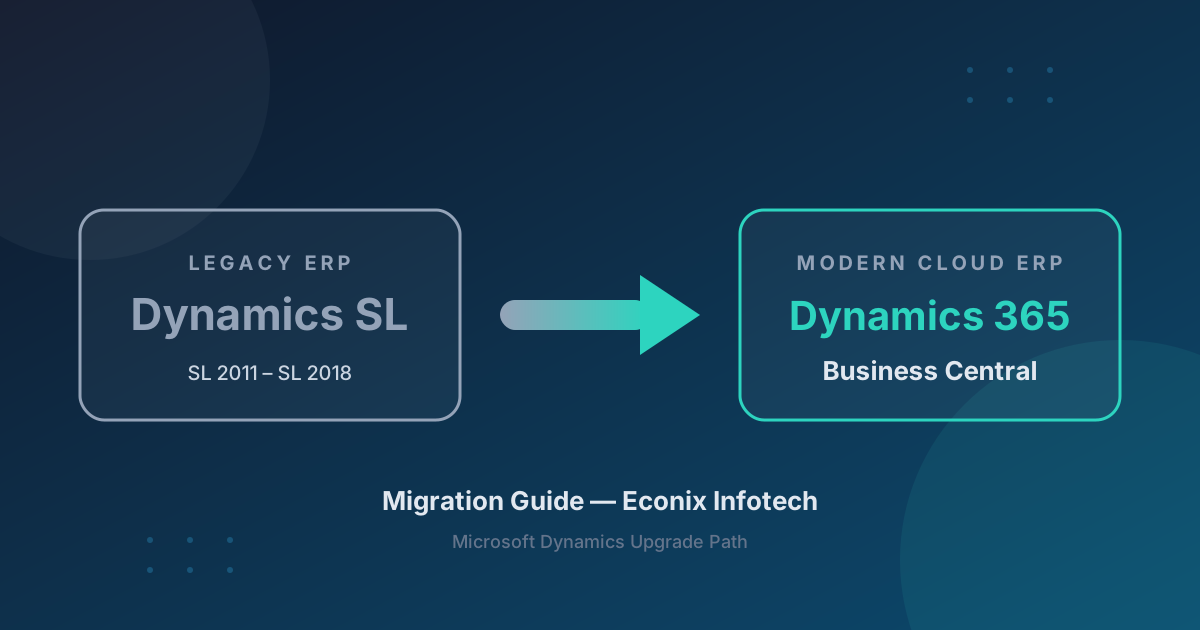
No Upgrade Path from SL
Dynamics SL and Business Central are fundamentally different architectures. There is no technical upgrade tool. It is a full reimplementation with data migration — plan and budget accordingly.
SL-Specific Migration Challenges
Project Accounting Complexity
SL's project module differs structurally from Business Central's. Project accounting workflows are redesigned during the design phase to leverage BC's native project management capabilities.
Custom VBA and Dexterity Code
Custom VBA and Dexterity code has no path forward — it must be replaced with AL extensions or AppSource solutions built for the Business Central platform.
Integration Manager Scripts
Legacy Integration Manager scripts are rebuilt as Power Automate flows or API-based integrations on BC's modern, supported integration surface.
What Migrates vs What Needs Reconfiguration
Master data and open transactions migrate with custom-built tooling. SL's project accounting, customizations, and integrations are redesigned on Business Central's modern platform.
| Category | ✓ Migrates Cleanly | ⚠ Needs Reconfiguration |
|---|---|---|
| Master Data | Customers, vendors, items, chart of accounts, GL dimensions | Security roles, approval workflows, user preferences |
| Transactions | Open AR/AP, open POs/SOs, GL balances | Closed/historical transactions (selective) |
| Project Accounting | Project master data, open project balances | Project structures and workflows redesigned for BC's project module |
| Customizations | None — all must be rebuilt or replaced | VBA, Dexterity → AL extensions or AppSource |
| Integrations | None — all must be rebuilt | Integration Manager → Power Automate / APIs |
| Reports | None — must be rebuilt | Crystal Reports, FRx/MR → BC reports + Power BI |
Migration Timeline
A structured SL-to-BC migration runs 5-7 months across seven overlapping phases.
A Validated Migration and a Faster Month-End Close.
See how Econix migrated RJ Lee Group from Dynamics SL to Business Central with a validated, reconciled migration and a materially faster month-end close.
Read the RJ Lee Group Case StudyBefore and After
Before — Dynamics SL
- ✗ Past mainstream support
- ✗ VBA customizations
- ✗ Limited reporting
- ✗ No cloud
- ✗ No AI
After — Business Central
- ✓ Modern cloud platform
- ✓ AL extensions
- ✓ Power BI
- ✓ Copilot AI
- ✓ Continuous updates
Econix Tip — Start with the Project Ledger
In SL migrations, the project ledger is where surprises hide. Reconcile project-to-GL balances before the first test migration cycle — unresolved variances that lived quietly in SL for years become blockers on go-live weekend.
Ready to Plan Your SL to Business Central Migration?
Book a free 30-minute migration assessment with an Econix consultant.
SL to Business Central FAQ
Can I upgrade SL directly to Business Central?
No. There is no automated upgrade or technical migration path from Dynamics SL to Business Central. It requires a full reimplementation with data migration.
How does Econix handle SL data migration?
Econix develops custom migration tools to extract, transform, and load SL data into Business Central. Multiple test migration cycles protect data integrity through cutover — as demonstrated in the RJ Lee Group migration, which was reconciled and validated at every stage.
Will my SL project accounting work in BC?
Business Central has native project management capabilities, but the module structure differs from SL. Project accounting workflows are reconfigured during the design phase to leverage BC's native features.
How long does an SL to BC migration take?
Typically 5-7 months including discovery, custom migration tool development, 3 test data cycles, UAT, and go-live.
Plan your move off Dynamics SL
Dynamics SL to Business Central: The Migration Playbook for Project-Based Businesses
Read the insight
After Go-Live: What Business Central and Dynamics 365 Support Should Include
Read the insight
Project Accounting for Professional Services Firms: Business Central or Dynamics 365 Project Operations?
Read the insightReady to move off Dynamics SL?
Econix migrated RJ Lee Group from SL to Business Central with a validated, reconciled migration. Book a free 30-minute assessment to plan your own migration.