Running one company on an ERP system is a solved problem. Running twelve legal entities across three provinces, two US states and a holding structure is not. Every additional entity adds another set of books, another tax registration, another stream of intercompany charges and another reconciliation at month-end. For many groups, the close ends up depending on a small number of people and a large number of spreadsheets.
This is where Dynamics 365 Finance earns its place. Its strengths are not a long list of features; they are a set of foundations designed for organizations that operate as many legal entities but need to manage, report and control as one group. Shared master data, financial dimensions that work across companies, structured intercompany accounting, consolidation with eliminations and flexible sales tax configuration all exist to make the multi-entity close repeatable rather than heroic.
This guide walks through those foundations the way a group finance team experiences them: designing the entity structure, setting up shared data, posting intercompany transactions, handling tax across jurisdictions, consolidating and eliminating, and running a close calendar. It finishes with the design mistakes we most often see, so you can avoid them in your own project.
What you will get from this guide
- Five entity-structure patterns and how to choose between them
- A practical view of shared foundations: chart of accounts, financial dimensions, global address book and number sequences
- A step-by-step walkthrough of intercompany accounting and intercompany trade
- Guidance on configuring sales tax for Canadian GST, HST and PST and US sales tax
- A consolidation and elimination checklist and a month-end close calendar
- The six design mistakes that cause the most rework in multi-entity projects
Why Multi-Entity Is Where Mid-Market ERP Runs Out of Road
Many organizations start on a mid-market ERP and add companies as they grow. That works well for a while. The strain appears when the group needs consistent reporting across entities, automated intercompany balancing, consolidated statements in more than one currency and centralised control over master data. At that point, finance teams find themselves re-keying intercompany invoices, maintaining customer and vendor records separately in each company and building consolidation workbooks by hand.
Dynamics 365 Finance is designed around a different assumption: that a group will have many legal entities sharing a common data foundation. A single instance can hold all of your legal entities, each with its own ledger, accounting currency, fiscal calendar and tax setup, while customers, vendors, products, main accounts and financial dimensions are defined once and shared where appropriate. If you are still weighing whether your organization needs that level of capability, our comparison of Business Central and Dynamics 365 Finance sets out where each product fits.
Legal entities
Each legal entity has its own ledger, accounting and reporting currency, fiscal calendar and tax registration within one instance.
Shared chart of accounts
Main accounts are defined once and assigned to ledgers, so every entity reports on a consistent account structure.
Financial dimensions
Dimensions such as department, cost centre, region or business line are shared across entities for consistent analysis.
Global address book
Parties such as customers, vendors and employees are recorded once and reused across legal entities.
Intercompany accounting
Due-to and due-from accounts are posted automatically when one entity pays, charges or allocates on behalf of another.
Consolidation and eliminations
Group results are consolidated with elimination rules and currency translation for statutory and management reporting.
Designing the Entity Structure: Five Patterns
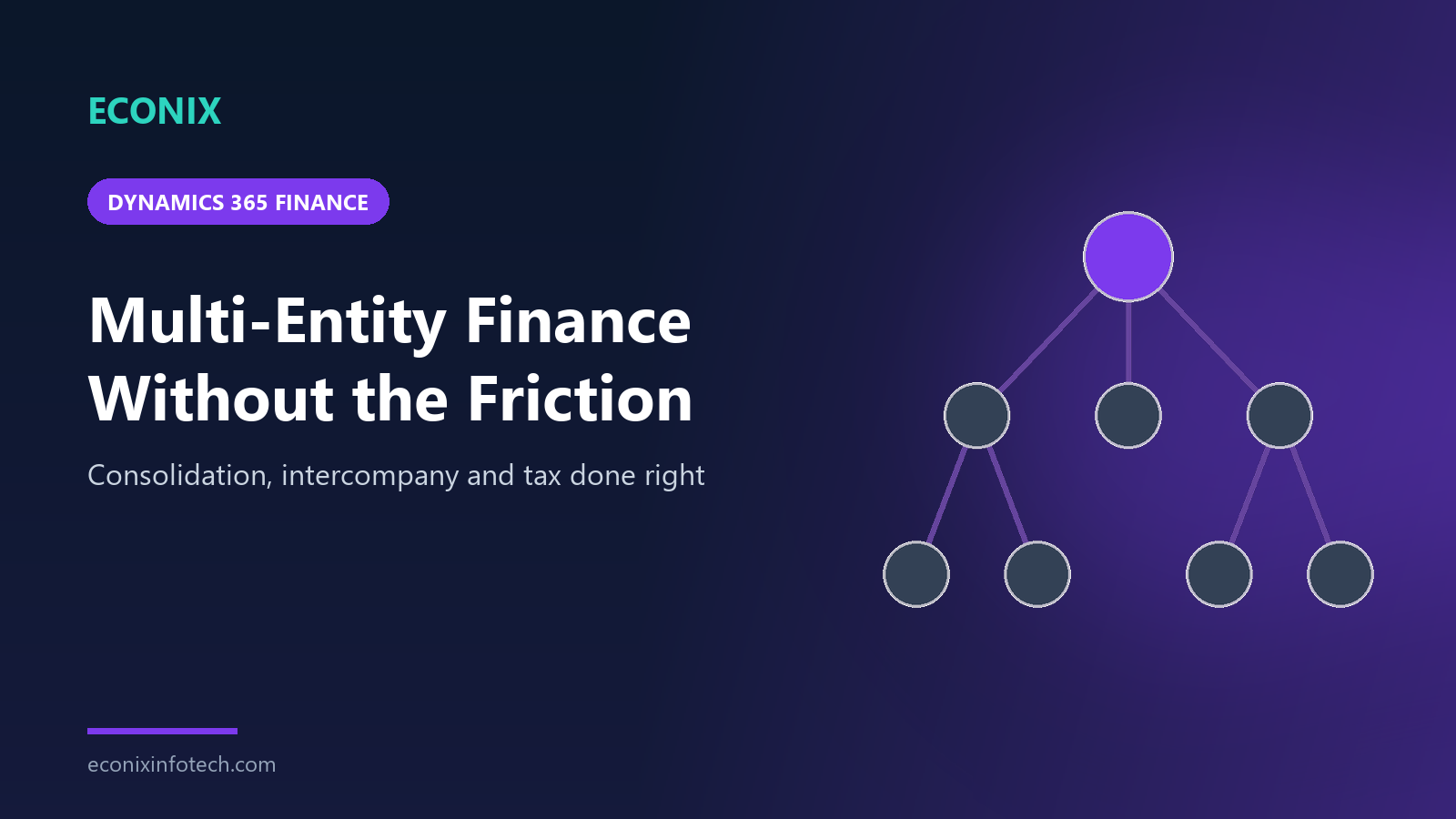
The legal entity structure is the decision that every later design choice depends on, so it deserves careful thought before configuration begins. In Dynamics 365 Finance, a legal entity is an organization with a registered legal structure that can enter into contracts and must prepare financial statements. Operating units, such as divisions, departments or business units, can be modelled separately in organization hierarchies and reflected through financial dimensions, which means not every reporting unit needs to become a legal entity.
That distinction is the source of most structural decisions. Creating a legal entity for every reporting need multiplies intercompany activity and close effort; creating too few forces statutory reporting into dimensions where it does not belong. The five patterns below cover the vast majority of group structures we see across Canada and the United States.
| Pattern | Typical structure | Best suited to |
|---|---|---|
| 1. Mirror the statutory structure | One legal entity per registered company, operating units as dimensions | Most groups; keeps statutory reporting clean |
| 2. Holding plus operating companies | Holding entity owns several operating entities with management fees and loans between them | Groups with central services and intercompany financing |
| 3. Shared service centre | One entity employs central finance, HR or IT staff and recharges the others | Groups centralising back-office functions |
| 4. Country or region entities | Separate legal entities per country, with Canadian and US operations in different entities and currencies | Cross-border groups with distinct tax and statutory obligations |
| 5. Dedicated consolidation entity | A non-trading legal entity that holds consolidated balances and elimination entries | Groups needing a full consolidated ledger and audit trail |
The patterns are not mutually exclusive. A typical cross-border group might mirror its statutory structure, use a shared service centre for finance and IT, separate its Canadian and US companies by currency and add a dedicated consolidation entity. The matrix below compares how each pattern affects the factors group controllers care about most.
| Factor | Mirror statutory | Holding and operating | Shared service centre | Country entities | Consolidation entity |
|---|---|---|---|---|---|
| Statutory reporting clarity | Yes | Yes | Yes | Yes | Yes |
| Intercompany volume | Low | Moderate | High | Moderate | Low |
| Recharge and allocation logic | No | Partial | Yes | Partial | No |
| Currency translation needed | Partial | Partial | No | Yes | Yes |
| Elimination effort | Low | Moderate | Moderate | Moderate | Centralised |
| Full consolidated audit trail | Partial | Partial | Partial | Partial | Yes |
Shared Foundations: Accounts, Dimensions, Parties and Numbering
Once the structure is agreed, the next step is deciding what is shared and what is local. Getting this right is what makes consolidation straightforward later. A shared chart of accounts and a common set of financial dimensions mean that every entity's trial balance speaks the same language, so consolidation becomes a matter of mapping and eliminating rather than translating between different account structures.
Financial dimensions deserve particular attention. They carry the analysis that executives want, such as profitability by region, business line or project, without multiplying main accounts. Account structures and advanced rules then control which dimensions are required or allowed for each range of accounts, so data quality is enforced at the point of entry. A dimension set designed with the whole group in mind, rather than one entity at a time, is one of the most valuable outcomes of a Dynamics 365 Finance implementation.
| Foundation | Typical approach in a multi-entity group | Why it matters |
|---|---|---|
| Chart of accounts | One shared chart assigned to all ledgers, with local accounts only where statute requires | Consistent trial balances and simpler consolidation mapping |
| Financial dimensions | Shared dimensions (for example business unit, department, region), with account structures controlling usage | Group-wide analysis without account proliferation |
| Global address book | Parties created once; customer and vendor accounts added in each entity that trades with them | One view of each counterparty and cleaner intercompany setup |
| Number sequences | Shared scope where a group-wide series is needed, legal entity scope where each company needs its own | Audit-friendly, non-overlapping document numbering |
| Fiscal calendars | Common calendar where possible; separate calendars only for entities with different year-ends | Aligned period close across the group |
| Currencies and exchange rates | Shared exchange rate types for daily, average and closing rates | Consistent translation for consolidation and revaluation |
The global address book is easy to underestimate. Because a party is recorded once and then associated with customer or vendor accounts in each entity, updates to names and addresses happen in one place, and it becomes far easier to see the full relationship with a counterparty across the group. It also simplifies intercompany setup, because each legal entity can be represented as a customer or vendor of the others.
Number sequences are a smaller decision with a long tail. Auditors expect document numbers to be unique and traceable, and shared services teams need to know at a glance which entity a voucher or invoice belongs to. Dynamics 365 Finance lets each number sequence be scoped as shared or per legal entity, so the group can decide, series by series, whether one continuous range or separate company ranges make more sense. Agree a numbering convention early, document it, and resist the temptation to replicate legacy numbering formats that only made sense on the old system.
Intercompany Done Right: A Walkthrough
Intercompany activity in Dynamics 365 Finance falls into two broad categories. Intercompany accounting covers financial transactions where one entity posts on behalf of another, such as paying an invoice for a sister company or allocating shared costs, with due-to and due-from balances created automatically in both entities. Intercompany trade covers the movement of goods or services between entities, where a purchase order in one entity can generate the matching sales order in another, so both sides of the transaction stay aligned.
- Journal-based postings between legal entities
- Due-to and due-from accounts set up for each entity pair
- Suited to recharges, cost allocations, loans and payments on behalf
- Both entities' ledgers updated from a single journal entry
- Order-based: intercompany purchase and sales orders linked in a chain
- Each entity set up as a customer or vendor of the other
- Suited to stock transfers between companies and internal services
- Pricing, invoicing and delivery kept consistent on both sides
The flow below shows how a typical intercompany accounting transaction moves through the system, from setup through to elimination at consolidation. The same discipline applies to intercompany trade, with orders and invoices taking the place of journals.
The most important design choice in this flow is often overlooked: how the counterparty is identified on every intercompany posting. When dedicated due-to and due-from accounts exist for each entity pair, or when a counterparty dimension is mandatory on intercompany accounts, reconciliation becomes a report rather than an investigation, and eliminations can be driven by rules rather than by manual journals. Groups that skip this step usually discover it at their first year-end audit, when intercompany balances refuse to agree and nobody can say which transactions caused the difference.
- 1Configure pairsDefine due-to and due-from main accounts for each entity pairing
- 2Enter oncePost the journal in the originating entity with the destination entity on the line
- 3Mirror postingThe system posts the matching balance in the counterparty entity
- 4ReconcileCompare intercompany balances between each pair before close
- 5SettleClear balances through payment, netting or periodic settlement
- 6EliminateRemove intercompany balances and revenue at consolidation
Agree an intercompany policy
Document which transactions are recharged, at what basis, how often balances are settled and who owns disputes.
Set up entity pairs
Configure intercompany accounting for every pair of entities that transact, with dedicated due-to and due-from accounts.
Model counterparties
Represent each legal entity as a customer and vendor of the others where intercompany trade is used.
Standardise dimensions
Require an intercompany or counterparty dimension value on intercompany accounts so eliminations can be automated.
Reconcile before close
Run pair-by-pair balance comparisons each period and resolve differences before consolidation begins.
Settle regularly
Clear balances on an agreed cadence so intercompany positions do not grow into a year-end problem.
Sales Tax Across Provinces and States
Tax is where multi-entity groups crossing borders often feel the most pain. A Canadian group may need to handle GST in some provinces, HST in others and PST alongside GST where provinces levy it separately. A US subsidiary must deal with state and local sales tax jurisdictions. A cross-border group needs both, in separate legal entities with their own registrations and filing obligations.
Dynamics 365 Finance handles this through a layered sales tax model. Sales tax codes represent individual taxes and their calculation rules, linked to sales tax authorities and settlement periods. Sales tax groups, usually associated with customers, vendors or delivery locations, determine which taxes apply to a party; item sales tax groups determine which taxes apply to products and services. The tax applied to a transaction is the intersection of the two, which lets one configuration handle many combinations of jurisdiction and product.
| Element | Role in the tax model | Multi-entity consideration |
|---|---|---|
| Sales tax authorities | The bodies to which tax is reported and paid | Defined per legal entity according to its registrations |
| Settlement periods | Reporting and payment intervals for each authority | Align with each entity's filing frequency |
| Sales tax codes | Individual taxes, such as GST, HST, PST or a state sales tax | Maintain codes per jurisdiction; avoid hard-coding rates in processes |
| Sales tax groups | The set of codes that apply to a customer, vendor or location | Drive by ship-to or ship-from location where nexus depends on it |
| Item sales tax groups | The set of codes that apply to products or services | Handle exempt and zero-rated items consistently across entities |
Validate tax design with your tax advisors
Tax rules, registration thresholds and rates change, and obligations depend on your specific operations. Treat your ERP tax configuration as an implementation of advice from qualified tax professionals, not a substitute for it. Test every combination of entity, location and item group with real scenarios, and plan for how rate changes will be maintained after go-live.
Cross-border groups should also think about where tax responsibilities sit organizationally. When Canadian and US operations are separate legal entities, each keeps its own authorities, settlement periods and filing evidence, which keeps statutory reporting clean. Intercompany charges between those entities then need their own tax treatment, which should be agreed with advisors and built into the intercompany policy rather than decided transaction by transaction. A short tax design document per legal entity, reviewed by finance and tax specialists before build, prevents most of the late surprises we see in testing.
Consolidation and Eliminations
Consolidation brings the group together. Dynamics 365 Finance supports consolidating the ledgers of subsidiary legal entities into a consolidation entity, applying currency translation using defined exchange rate types and posting elimination entries through elimination rules. Financial reporting can also present consolidated views across legal entities directly, which some groups use for management reporting while keeping a formal consolidation entity for statutory results.
The right approach depends on your reporting obligations, the number of entities, ownership structures and how much of the process you want inside the ERP versus a dedicated consolidation tool. The decision guide below summarises common choices.
- IfWholly owned entities, shared chart of accounts and mainly management reporting needsThenUse financial reporting across legal entities for consolidated views, with eliminations handled through elimination rules
- IfStatutory consolidated statements and a full audit trail of consolidated balances are requiredThenUse a dedicated consolidation legal entity with online consolidation, currency translation and elimination journals
- IfSubsidiaries on different charts of accounts or currenciesThenMap subsidiary accounts to the consolidation chart and define exchange rate types for translation before the first close
- IfPartial ownership, complex equity structures or other ERP systems in the groupThenConsider a dedicated consolidation tool fed by Dynamics 365 Finance, and design the data hand-off early
Whatever approach you choose, consolidation quality depends on preparation. Most consolidation issues are really upstream issues: unreconciled intercompany balances, missing dimension values or exchange rates loaded late. The checklist below captures the checks we recommend completing every period before consolidated results are released.
Currency translation deserves its own word of caution. Groups with Canadian and US entities, or operations further afield, need agreed exchange rate types for translating balance sheet and income statement amounts, and a clear owner for loading those rates on time each period. The rules for which rate applies to which accounts should be documented once, reviewed with auditors and then configured, so that every consolidation run produces the same result from the same inputs. When translation differences appear, the controller should be able to explain them from the rate movements alone.
- All subsidiary periods closed or locked for the relevant modules
- Intercompany balances reconciled pair by pair with differences resolved
- Intercompany revenue and cost of sales identified for elimination
- Daily, average and closing exchange rates loaded for each currency
- Foreign currency revaluation run in each entity before consolidation
- Account mapping from subsidiary to consolidation chart reviewed for new accounts
- Elimination rules reviewed for new entities, accounts or relationships
- Consolidation run and results compared with the sum of subsidiary trial balances
- Elimination entries reviewed and approved by the group controller
- Currency translation adjustment reviewed and explained
- Consolidated financial reports refreshed and reviewed against expectations
- Supporting evidence filed for audit and the period locked
A Month-End Close Calendar That Holds
A predictable multi-entity close is less about speed and more about sequence. Intercompany must be reconciled before consolidation, revaluation must happen after rates are loaded, and subsidiaries must close before the group can. Dynamics 365 Finance includes a financial period close workspace where closing tasks can be scheduled, assigned to people and tracked across legal entities, which turns the close calendar from a spreadsheet into a managed process.
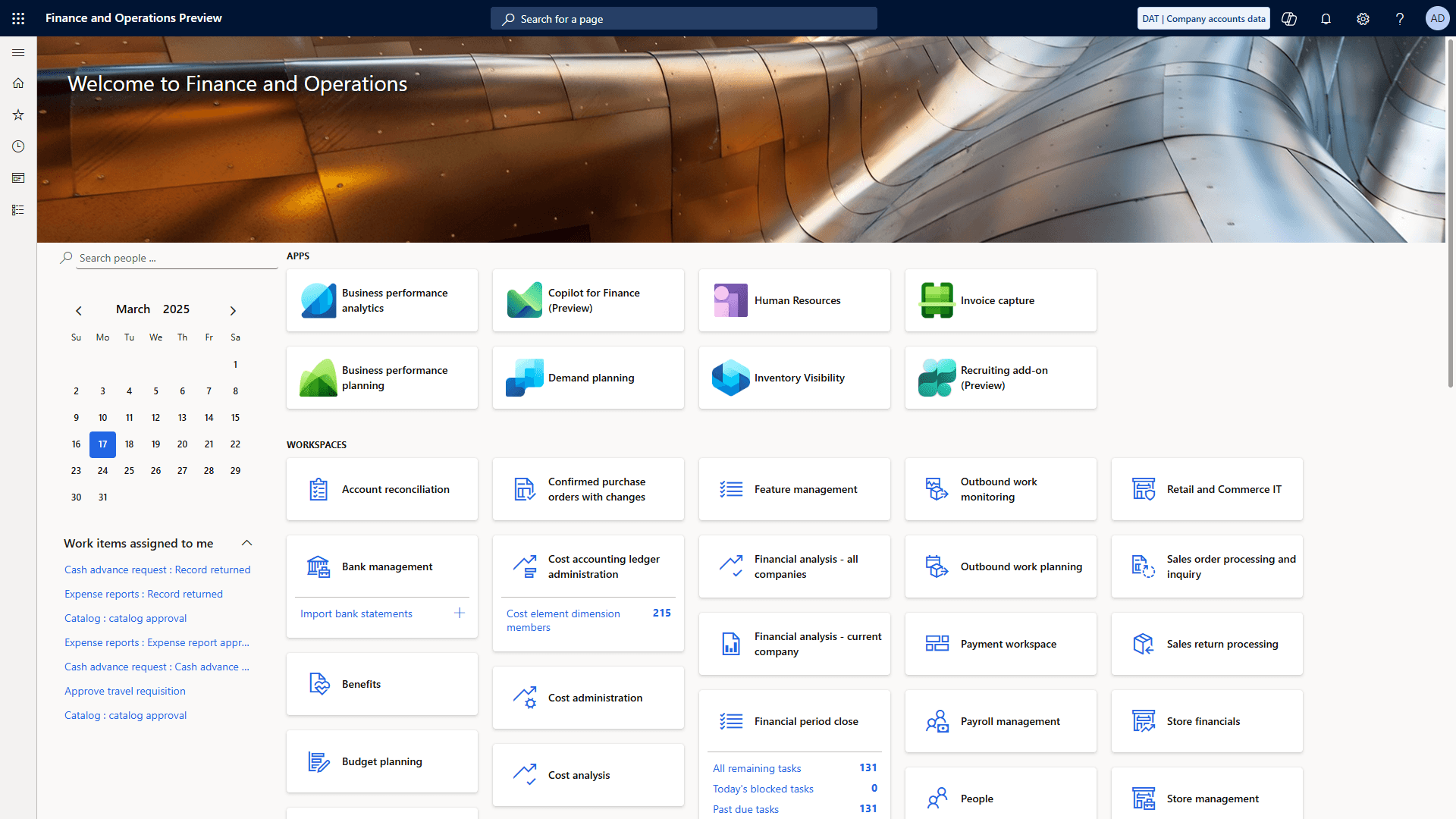
The timeline below shows a typical close calendar for a multi-entity group. Day numbers are working days relative to period end; adjust them to your own reporting deadlines and the number of entities involved.
- 1Pre-closeDay -3 to 0
- Intercompany cut-off communicated
- accruals and recharges prepared
- exchange rates scheduled
- 2Subledger closeDay 1–2
- Receivables, payables, inventory and fixed assets closed in each entity
- intercompany postings finalised
- 3ReconcileDay 2–3
- Intercompany pairs reconciled
- bank and balance sheet reconciliations completed
- revaluation run
- 4Entity closeDay 3–4
- Subsidiary trial balances reviewed and approved
- periods locked
- 5ConsolidateDay 4–5
- Consolidation and eliminations run
- currency translation reviewed
- 6ReportDay 5–6
- Consolidated statements and management reports reviewed and released
Effort in a multi-entity close is rarely spread evenly. In most groups, reconciliation and intercompany work consume the largest share, which is exactly where automation in Dynamics 365 Finance pays back. The split below is a typical planning view rather than a measurement; use it to decide where to focus improvement effort first.
- Reconciliations30%
- Intercompany20%
- Subledger close20%
- Consolidation and eliminations15%
- Reporting and review15%
For more ideas on reducing manual work across the close, see our article on ERP automation strategies for finance teams, and consider pairing the close with group dashboards in Power BI so executives see consolidated results as soon as they are released.
Common Design Mistakes to Avoid
Most multi-entity problems we are asked to fix were designed in during the first weeks of a project. They are rarely caused by the software; they come from structural decisions made one entity at a time, or from migrating the habits of an older system into a platform designed to work differently. The six mistakes below cause the most rework.
Too many legal entities
Creating entities for reporting units that should be operating units and dimensions multiplies intercompany and close effort.
Divergent charts of accounts
Letting each entity keep its legacy chart turns consolidation into a permanent mapping exercise.
Dimensions designed per entity
Inconsistent dimension values across companies make group profitability analysis unreliable.
No intercompany policy
Without agreed recharge rules and settlement cadence, balances drift and disputes surface at year-end.
Tax configured last
Leaving sales tax design until testing creates late surprises across provinces, states and item groups.
Migrating every historic detail
Loading years of transactional history into every entity slows migration; balances plus reporting access is often enough.
Design for the group, then configure the entities
Run design workshops for the chart of accounts, financial dimensions, intercompany policy and tax with representatives from every major entity in the room. Agree the group standard first, document the genuine local exceptions, and only then configure each legal entity. It takes slightly longer at the start and saves months of correction later.
Is Dynamics 365 Finance the Right Platform for Your Group?
Not every multi-company organization needs an enterprise platform. Business Central handles multiple companies well for many mid-market groups, particularly where entities share a currency, intercompany volumes are moderate and consolidation needs are straightforward. The case for Dynamics 365 Finance strengthens as the number of legal entities grows, as cross-border operations add currencies and tax regimes, and as the group needs centralised control over shared data, advanced financial dimensions and a managed, multi-entity close.
The honest test is the month-end close itself. If your finance team spends more time reconciling, re-keying and consolidating than analysing, and the close depends on a few individuals who know where every spreadsheet lives, the structural capabilities described in this guide are likely to pay for themselves. If you operate across Canada and the United States, our ERP consulting team in Canada and ERP consulting team in the USA can help you assess the fit before you commit.
How Econix Helps
Econix Infotech is a Canadian Microsoft Dynamics partner working with organizations across Canada and the United States. For multi-entity groups, we design and implement Dynamics 365 Finance with the structure, shared data, intercompany model, tax configuration and close process agreed up front, so the first group close on the new system is controlled rather than improvised. Our Dynamics 365 Finance guide explains the platform in depth, and our article on the business problems Dynamics 365 Finance solves shows where it adds the most value.
For groups moving from older Dynamics platforms, our AX to Dynamics 365 upgrade service carries forward what works and corrects what does not. We follow a structured implementation method, and after go-live our Support 365 team keeps the close running smoothly through Microsoft's release cycles. To discuss your entity structure and close, contact our team.
Related Reading
- Dynamics 365 Finance Guide - the complete overview of Dynamics 365 Finance capabilities
- Business Problems Dynamics 365 Finance Solves - where enterprise finance teams see the biggest gains
- Business Central or Dynamics 365 Finance: Which Fits? - choosing the right platform for your scale
- ERP Automation Strategies for Finance Teams - reducing manual effort across the close
- Power BI for Finance Leaders - dashboards for consolidated group reporting
Econix Infotech
Ready to simplify your multi-entity close?
Talk with our Dynamics 365 Finance team about entity structure, intercompany, tax and consolidation for your group.
Referenced In
- After Go-Live: What Business Central and Dynamics 365 Support Should Include
- Dynamics 365 Supply Chain Management Warehouse Management: A Practical Implementation Guide
- Power BI for Finance Leaders: 10 Dashboards Every Business Central and Dynamics 365 Team Should Have
- Project Accounting for Professional Services Firms: Business Central or Dynamics 365 Project Operations?
- Business Central or Dynamics 365 Finance? How to Tell Which Microsoft ERP Fits